
CardPointers: Maximize Rewards
CardPointersFinance
4.5283.00 Reviews
- Version
- 7.3.10
- Installs
- 50.00K
- Age Rating
- Everyone
Screenshots
Our Review of CardPointers: Maximize Rewards
 Analysis by Appyee
I approach CardPointers: Maximize Rewards as a practical companion for a habit that is easy to neglect: checking which of my cards makes sense before I pay. It is a finance app from CardPointers, and its central appeal is less about complicated money management than about making card benefits easier to remember and use. If your wallet contains cards with different reward rules, that small prompt at the right moment can be more useful than another spreadsheet you stop updating.
The app is free to download, with optional in-app purchases, and is rated for Everyone. It has a 4.7 average from around a thousand ratings, with more than 50,000 installs. CardPointers was released in January 2022; version 6.6.5 requires Android 8.0 or later. Those details give a sense of an established tool, but the more important question is whether its routine fits the way you actually shop.
Building a reliable rewards routine
I find a rewards routine works best when it stays small enough to repeat: check the purchase type, compare the cards I actually carry, then move on without turning every checkout into a research session. That approach keeps the app useful while leaving room to verify an unfamiliar offer before relying on it. Next, I’d look at the settings and notification habits that make those checks easier to manage.
Start with the cards you genuinely use
If you've ever found yourself wondering if you're getting the most out of your credit card rewards, then CardPointers: Maximize Rewards might just become your favorite app. Imagine having a personal assistant who knows all the ins and outs of your credit cards and can guide you on how to maximize those sweet, sweet rewards. Sounds awesome, right? Well, that's exactly what this app promises to do.
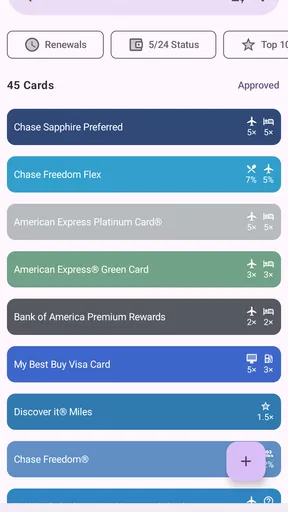
When I first downloaded CardPointers, I was a bit skeptical. I mean, could an app really help me get more out of my credit cards without being a total headache to use? But I have to say, the setup was surprisingly straightforward. You start by adding all your credit cards into the app. Don’t worry, you don’t have to enter any sensitive information like card numbers. The app just needs to know the type of card and the benefits it offers, which you can usually find on your bank’s website or in your welcome packet.
One useful way to make that setup less tedious is to begin with the cards in your everyday wallet rather than every account you have ever opened. Entering a card you rarely carry can make the list feel crowded before you have learned how to use it. I would add a less-used card later, when I have a reason to check its benefits or an offer. This keeps the first decision simple: the next time I buy something ordinary, I can check the app and see whether its recommendation changes my usual choice.
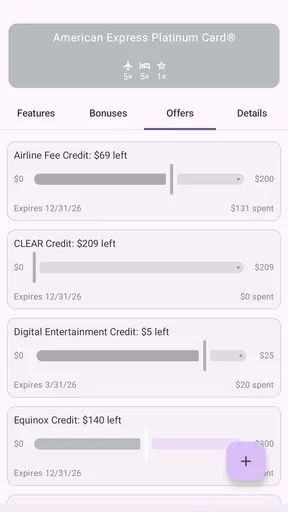
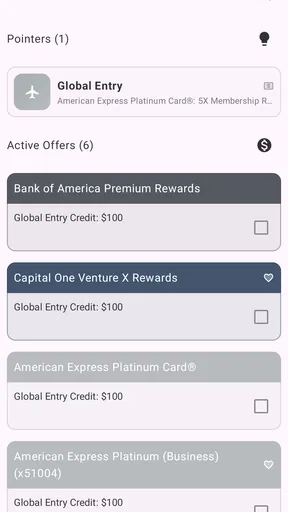
Once your cards are in, the app does its magic. It automatically pulls in the current offers and bonuses for each card. I was pretty impressed to see all the information laid out so clearly. It's like having all those tiny footnotes in your credit card agreement explained in simple terms. Love it!
I would still treat the app as a guide, not as a substitute for knowing the basic terms of a card. An offer can be useful only if it applies to a purchase you were already going to make, and a reward is not worth carrying a balance or buying something unnecessary. My own rule is to ask two questions before acting on a prompt: would I make this purchase anyway, and can I pay for it in full as planned? That keeps rewards in their proper place—as a small benefit of sensible spending, not a reason to spend more.
Make the recommendation useful at the point of purchase
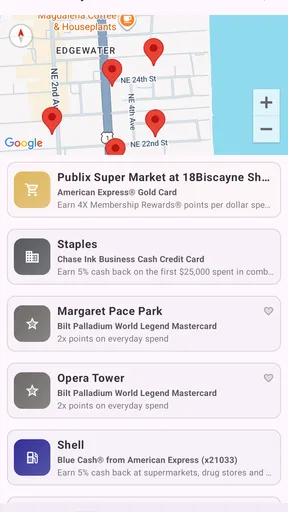
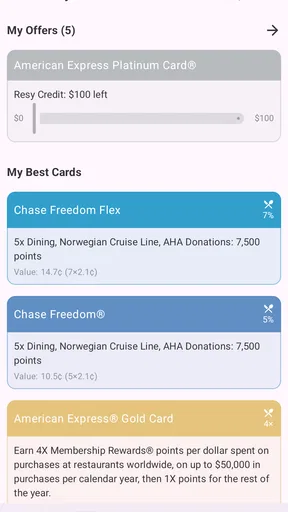
One of the standout features of CardPointers is its ability to suggest the best card to use for each purchase. This is especially handy if you have multiple cards with different reward programs. Just tell the app what you're buying, and it’ll recommend the card that will give you the most points, miles, or cashback. It’s like having a cheat sheet for free money.
The everyday value becomes clearest when I imagine a familiar errand day: I stop for groceries, pick up a household item, and later pay for a meal. Instead of trying to remember each card’s category from memory, I can check the relevant purchase type before tapping to pay. The benefit is not just the recommendation itself; it is replacing a vague recollection with a repeatable check. After a while, I may remember my usual choices, while still opening the app when a less common purchase makes me unsure.
This is also where I would use a simple shortcut of my own: check before leaving home if I know a large or unusual purchase is coming up. That avoids holding up a checkout while I compare cards, and it gives me time to think about whether a special offer has conditions I should read. For quick, routine purchases, a fast glance may be enough. For a costly purchase, I would slow down and verify the offer with the card issuer’s terms rather than relying on a headline or a remembered benefit.
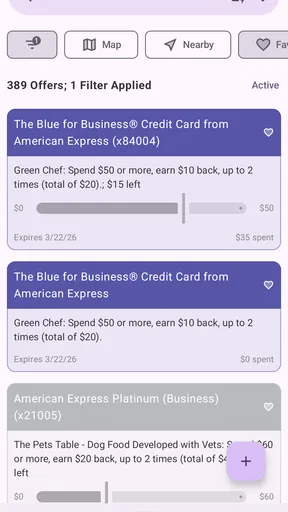
Another cool feature is the expiration alerts. If you’re anything like me, you’ve probably missed out on a bonus or two because you didn’t realize they were expiring. CardPointers sends you notifications before any offers or points expire, so you can make sure to use them. I found this particularly helpful for those quarterly bonuses that seem to sneak up on you.
Alerts work best when they lead to a small action, not just another notification to dismiss. When one appears, I would decide whether the offer matches a planned purchase, then either use it or ignore it. If it does not fit my normal spending, letting it go is a perfectly reasonable choice. The point of an alert is to make a deadline visible; it should not turn a calendar reminder into pressure to buy.
Settings and habits that prevent confusion
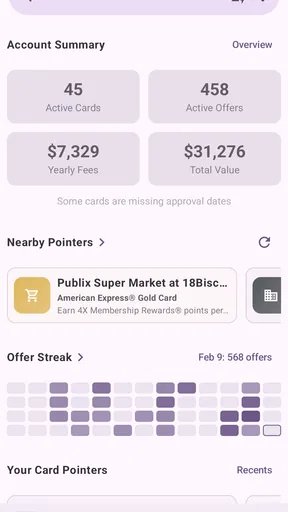
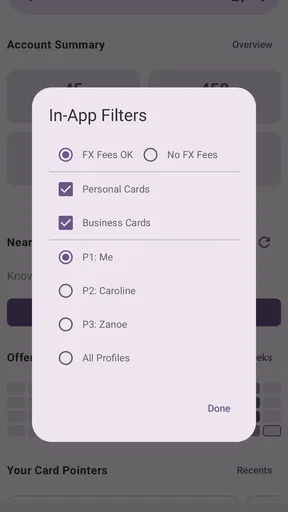
Day-to-day, the app is super easy to use. You can quickly glance at your cards and see which ones have active offers. The user interface is clean and intuitive, which I really appreciate. No one wants to sift through a cluttered app just to find out where they should buy their next coffee.
Before depending on reminders, I would check the notification settings on the phone and in the app, then keep only the alerts that help me take action. Too many prompts can make even useful deadlines blend into the background. I would also make a quick review part of a regular routine—perhaps when planning a shopping trip—rather than opening the app repeatedly without a specific decision to make.
It is worth keeping the card list accurate, too. If I stop using a card, I would remove or stop relying on it in my routine so that an old option does not distract me. When a card’s benefits change, I would check the issuer’s current terms and then make sure my own understanding is current. A rewards organizer can save memory, but it cannot remove the need to notice changes in the products behind it.
What’s even better is that the app supports a wide range of credit cards, so whether you’re rocking a fancy travel card or a more basic cashback one, you’ll likely find what you need. And the app updates regularly, ensuring you always have the most up-to-date information at your fingertips.
That convenience has a trade-off: a recommendation is only as helpful as the information and assumptions behind it. I would not assume that the card with the most points is automatically the best option for every person. Points can have different value depending on how you redeem them, while straightforward cashback may be easier to understand and use. If I value predictable returns more than travel rewards, I would compare the actual benefit in terms I care about instead of treating a larger-looking points figure as an automatic win.
Where it fits—and where it doesn’t
Compared with checking each bank app or keeping a personal spreadsheet, CardPointers aims to put card choices and offers in one place. Bank apps remain the authority for account activity and issuer-specific terms, while a spreadsheet can be tailored exactly to a person’s own calculations. The app’s advantage is convenience: it can make it easier to consult benefits across cards without manually rebuilding the same comparison every time. Its limitation is that no organizer can guarantee that every offer suits your plans or that a rewards calculation matches your personal redemption preferences.
I think it is best suited to someone who carries several cards, forgets rotating categories or deadlines, and is willing to take a moment to check before paying. It is less compelling if you use one simple cashback card and already know its rules, or if managing several rewards programs feels like work you do not want. In those cases, a single-card strategy or a basic note with the card’s main terms may be more relaxing than adding another app to maintain.
Another sensible boundary is account security. The setup described here does not require entering card numbers, which makes adding a card feel less intrusive than handing over full payment details. Still, I would read any requested access or connection prompt carefully and only enable what I understand and want. For someone who prefers not to organize financial information digitally at all, writing down a few key benefits or checking the issuer’s own app may be the more comfortable choice.
Decide whether the extra effort pays off
So, is it worth downloading? In my opinion, absolutely. If you’re someone who wants to make the most out of your credit card benefits without having to spend a ton of time figuring it all out, then CardPointers is a no-brainer. It’s like having a personal finance guru in your pocket, always ready to give you the best advice.
While the app is free, there is a premium version that offers even more features, like additional alerts and personalized recommendations. I'm still using the free version and finding it incredibly useful, but the premium features do look tempting if you’re a serious rewards enthusiast.
Because optional purchases range from $4.99 to $279.99 per item, I would decide what I actually need before paying for anything. The free version is a sensible place to learn whether I will remember to check the app and whether its basic workflow changes my choices. If I rarely open it, buying more features is unlikely to fix the habit. If I regularly use its reminders and comparisons, then I can judge the paid options by the specific convenience they add rather than assuming an upgrade is necessary.
In a world where every point and every mile counts, having a tool like CardPointers: Maximize Rewards can make a real difference. It’s helped me feel more in control of my financial decisions, and who doesn’t want that? So go ahead, give it a try, and see how much you can optimize your rewards. You might just find yourself earning more than you ever thought possible, just by using your credit cards a little smarter.
Verdict
Strengths of CardPointers: Maximize Rewards
- User-friendly interface for easy navigation.
- Automatic card recommendations are spot-on.
- Supports a wide range of credit cards.
- Comprehensive rewards tracking system.
- Frequent updates with new features.
Limitations of CardPointers: Maximize Rewards
- Some features require a premium subscription.
- Occasional syncing issues with banks.
- Limited support for international cards.
- Notifications can be overwhelming.
- Initial setup can be time-consuming.
Similar Picks in This Category
View All
Google Wallet
Google LLC4.3

Airtel: Recharge, Bank & Loans
Airtel4.0

PayPal - Pay, Send, Save
PayPal Mobile4.2

DANA Indonesia Digital Wallet
PT Espay Debit Indonesia Koe4.5

Binance: Buy Bitcoin & Crypto
Binance Inc.4.8

Cash App
Block, Inc.4.7
Frequently Asked Questions
What is CardPointers: Maximize Rewards and how does it work?
CardPointers is an app designed to help users maximize their credit card rewards. By linking your credit cards, the app analyzes your spending habits and suggests the best card to use for each purchase to earn the most rewards. It also provides reminders for expiring offers and tracks bonus categories.
Is CardPointers safe to use with my financial information?
Yes, CardPointers prioritizes user security. It uses bank-level encryption to ensure all your data is securely stored and managed. The app does not store your credit card numbers or any sensitive financial information, which helps protect your privacy and security at all times.
Can CardPointers be used internationally?
CardPointers is primarily designed for users in the United States, focusing on U.S. credit card offers and rewards programs. However, international users may still find some utility in tracking and managing their credit card rewards, although the app's full potential is best realized with U.S.-based accounts.
Does CardPointers support multiple credit cards?
Absolutely, CardPointers is ideal for users with multiple credit cards. You can add all your cards to the app, and it will help you keep track of each card’s rewards, offers, and bonus categories. This ensures you always use the best card for each purchase, maximizing your rewards.
Is there a subscription fee for using CardPointers?
CardPointers offers both a free and a premium version. The free version provides basic features, while the premium version offers advanced functionalities like personalized insights and more detailed tracking. Users can decide which version best suits their needs based on their credit card usage and reward goals.
